

We’ve all done it. It’s 9pm, you’ve finally cleared your inbox, and you’ve drafted the perfect email ready to send.
But then comes the dilemma.
Do you send it now and risk making colleagues or customers feel like they should be checking emails out of hours? Or do you leave it in Drafts and hope you remember to send it tomorrow?
Fortunately, Microsoft Outlook has a simple solution: Schedule Send.
Work Flexibly Without Creating Pressure
Modern working patterns aren’t always 9 to 5. Some people prefer to catch up on emails early in the morning, in the evening, or while travelling. The problem is that sending emails outside working hours can unintentionally create expectations that others should also be available.
Schedule Send allows you to write emails whenever it suits you, but have them delivered during normal business hours.
For example:
- Finish tomorrow’s emails before leaving for the day.
- Write follow-up actions after a meeting while they’re still fresh in your mind.
- Catch up on admin during a quiet evening without filling everyone’s inbox overnight.
- Time important messages to arrive when they’re most likely to be read.
It’s a small feature that can help create healthier communication habits across your organisation.
Now Easier Than Ever to Use
Many Outlook users remember the old “Delay Delivery” option hidden away in menus. While powerful, it wasn’t exactly obvious.
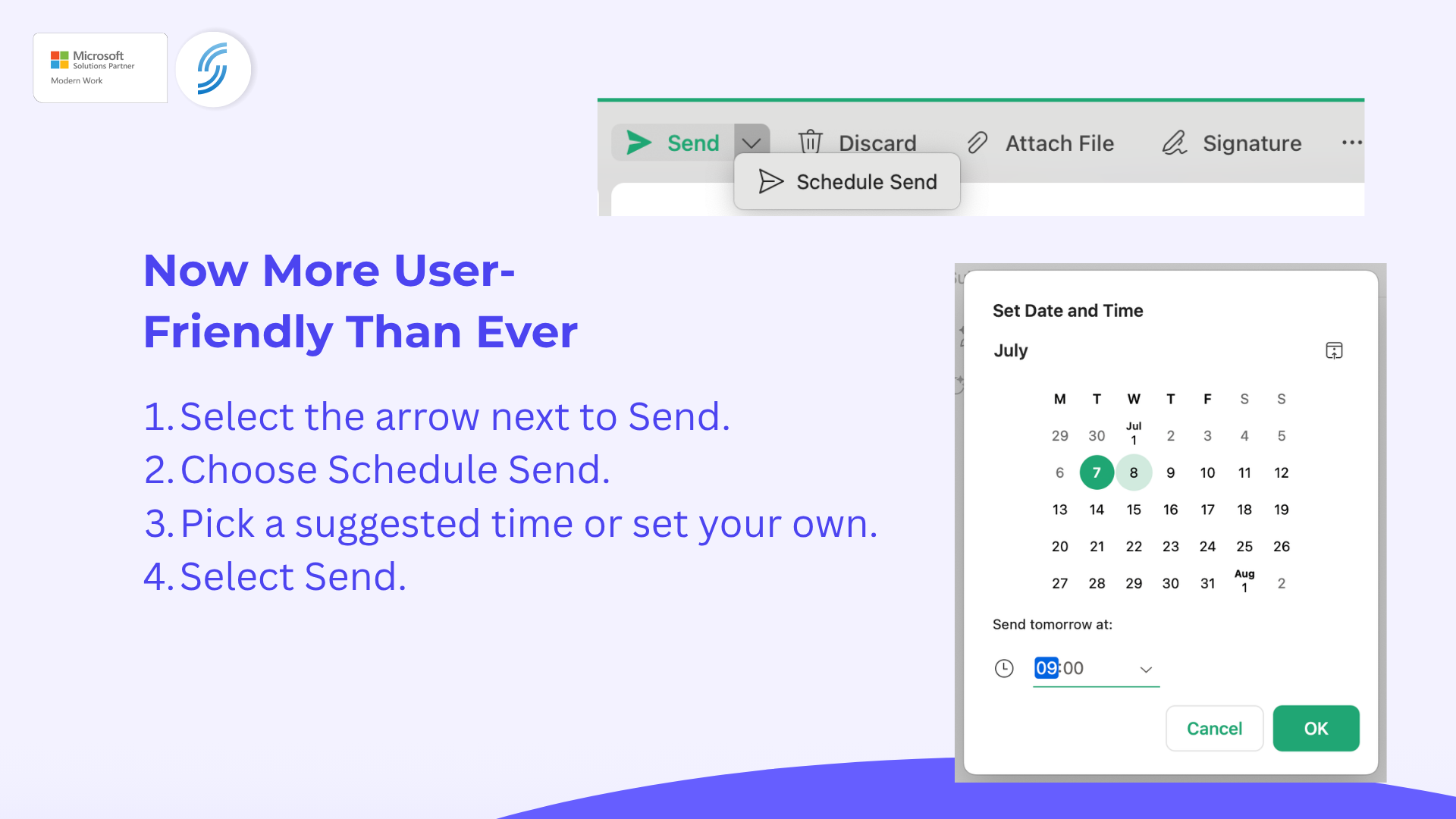
Microsoft has now made scheduling emails much simpler in the new Outlook experience.
When composing a message, simply:
- Select the arrow next to Send.
- Choose Schedule Send.
- Pick a suggested time or set your own.
- Select Send.
That’s it.
Your email is stored and automatically delivered at the chosen time, removing the need for reminder notes, saved drafts, or remembering to go back and send it later. Microsoft has also introduced smarter scheduling suggestions in Outlook, helping reduce disruptions when recipients are outside their normal working hours.
A Small Change That Can Improve Communication
Schedule Send won’t transform your business overnight, but it’s a great example of the useful features already included within Microsoft 365 that many organisations overlook.
By sending emails at the right time, you can:
- Respect colleagues’ work-life balance.
- Improve the chances of important emails being seen.
- Reduce the pressure to respond out of hours.
- Stay productive whenever inspiration strikes.
Sometimes the most valuable productivity improvements aren’t new tools at all—they’re simply making better use of the tools you already have.
Need Help Getting More from Microsoft 365?
Many businesses use Outlook every day but aren’t aware of the features available within Microsoft 365 that can help improve productivity and collaboration. If you’d like guidance on getting more value from the tools you’re already paying for, our team would be happy to help.
📞 Call us on 01925 818448
📧 Email sales@smsbusinesscloud.com
🛒 Or buy online 24/7 via our cart